


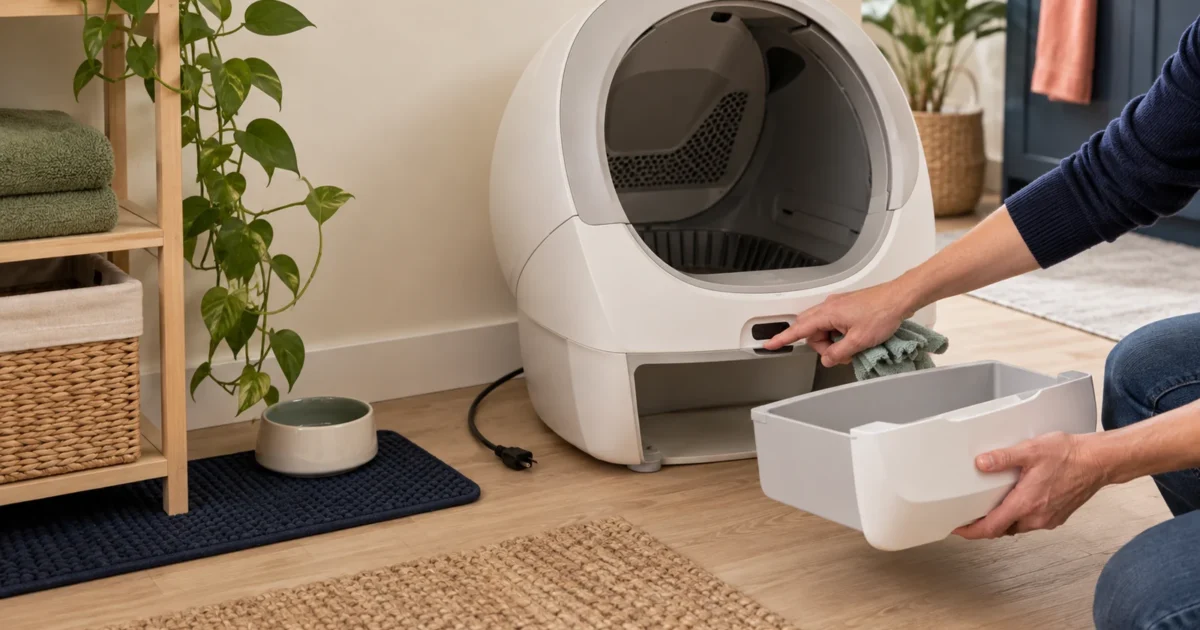
When an automatic litter box behaves unexpectedly, stop automatic cycling first and restore a clean manual box. Then identify whether the cause is placement, litter, a blocked sensor, an overfilled drawer, power, Wi-Fi or a model-specific fault.
General household troubleshooting, not repair authorization or veterinary advice. Never place hands or a cat inside a moving unit.
What should I do first when an automatic litter box fails?
Five-minute safe triage
- Make access safe. Stop automatic cycling. Do not test an interruption with a cat inside. Provide another clean litter box before diagnosis.
- Record the evidence. Photograph the display, note the exact error, app message, model code, firmware version and what happened immediately before the fault.
- Check setup before reset. Confirm a firm level floor, wall clearance, seated drawer, correct litter level, clean sensors and an unobstructed entrance. Use only the manufacturer’s reset sequence.
Automatic litter box symptom checker
| Symptom | Likely category | Safe first checks | Do not do |
|---|---|---|---|
| Will not start a clean cycle | Cat-presence state, drawer or bonnet not seated, child lock, power, active error | Remove the cat; wait the documented delay; check panel lights, drawer and covers; try the official manual-clean command. | Do not force the drum or bypass a sensor. |
| Starts, then pauses repeatedly | Movement detection, wall contact, unstable floor, debris near sensors | Give the unit required clearance; remove moving curtains or mats; set on the specified floor; clean exposed sensors as the manual allows. | Do not tape over or disable sensors. |
| Weight is wrong or visits are misassigned | Soft floor, unit touching a wall, partial entry, stale pet profile, missed calibration | Use a stable level surface, clear contact points, update profiles and run the official empty calibration if documented. | Do not treat app weight as a medical measurement. |
| Clean litter falls into the drawer | Wrong granule size, wrong sifter, weak clumps, overfill | Confirm exact litter limits and installed filter; level to the fill line; allow enough clumping delay. | Do not mix incompatible litter to “use it up.” |
| Clumps stick to the liner | Weak/slow clumping, too little litter, humidity, dirty or damaged liner | Use a compatible fast-clumping litter; preserve fill level and cycle delay; clean and dry removable parts according to the manual. | Do not coat sensors or moving surfaces with unapproved products. |
| Waste drawer still smells | Full drawer, torn liner, seal contamination, humid clumps, exhausted deodorizer | Empty early, inspect the bag and seal, clean dry surfaces, replace model-specific odor media if used. | Do not pour fragrance or liquid into the base. |
| App says offline but box has power | Router band, signal, account pairing, service outage, firmware | Check local panel operation first; verify supported Wi-Fi, app status and pairing instructions; preserve scheduled local operation where documented. | Do not factory-reset before saving evidence and reading the manual. |
| Urine or litter leaks under the unit | Mis-seated liner/pad, high spraying, damaged seal, overfill, wrong assembly | Power off, prevent electrical contact, inspect removable liners and seals, document the path and contact support if liquid reached the base. | Do not reconnect wet electronics. |
Why does floor placement cause so many errors?
Many automatic boxes use load cells or weight sensors. A soft mat, uneven tile, contact with a wall, a cable trapped under the base or an object leaning against the cabinet can change the reading. PETLIBRO Luma specifies a hard, flat floor and at least 4 inches (10 cm) of clearance. Litter-Robot 5 supports more floor types with its integrated carpet tray but still should not touch a wall. Placement is part of the sensing system.
Move the unit only when it is powered off and empty enough to handle safely. After moving, run the exact model’s calibration or onboarding process if the manual requires it.
Model-specific recovery paths
Litter-Robot 5
For a laser board fault, Whisker instructs owners to clean with a dry microfiber cloth only—no liquids, vacuum or compressed air—then perform the documented hard reset. Use the exact error page rather than repeatedly power cycling.
Neakasa M1 Plus
Confirm the unit is stable, the front magnet and silicone pad are seated, and firmware is current. Neakasa has issued model-specific firmware guidance, so record the installed version before contacting support.
PetSafe SmartSpin
Calibrate the machine while empty during setup. Use Add Litter Mode before adding litter; a waste liner must not block the drawer sensor. The clean button starts or pauses a manual cycle, while child lock can disable it.
PETKIT PuraMax 2
Use a firm level floor, preserve clearance and install the correct sifter for the litter. Check the display/app error against the P9902 manual and stop automatic use below the documented age/weight guidance.
PetSnowy SNOW+
Check the hard flat surface, screen, litter type, walkway and waste bag path. Tofu or plant litter can form less compact clumps, so the manufacturer advises more frequent drawer emptying and cleaning.
PETLIBRO Luma
Keep the base on a hard flat floor with 4 inches of clearance and no mat tucked under it. Use the correct filter for the litter and follow the official weight-sensor error sequence before support escalation.
Why is my automatic litter box wasting clean litter?
The screen separates by particle size, while the cycle timing depends on clump strength. Oversized particles can be sent to waste; ultra-fine or weakly clumping litter can pass, crumble or stick. Overfilling changes the working bed and can overload the separation step. Check the exact-model litter compatibility chart, install the right sifter and use the fill line rather than adding “a little extra.”
Why does the box smell even with a sealed drawer?
Automatic cleaning moves waste; it does not remove moisture, dirty seals or a full bag. Empty the drawer before it is packed, make sure the liner is not folded across a sensor or seal, clean urine paths, and dry all washable parts completely before reassembly. Replace only the model-specific filter, deodorizer or bag your manual permits. Manufacturer odor percentages are controlled claims, not promises for every room.
For ownership trade-offs, use the odor-control comparison and cleaning schedule.
When should I stop troubleshooting and contact support?
- The mechanism moves while a cat is detected or fails to stop when an obstruction is present.
- A cable, power adapter, sensor, liner, seal or structural part is damaged.
- Liquid reached the base, connector or power supply.
- The unit smells hot, sparks, trips power or makes a new grinding sound.
- The same error returns after the official cleaning and reset sequence.
- The cat suddenly avoids the box, strains, cries, makes repeated unproductive trips, has blood present or shows another abrupt elimination change.
For machine faults, send support the exact model, serial number, purchase date, firmware, error text, photos/video and the steps already completed. For sudden cat symptoms, restore an accessible box and contact a veterinarian promptly.
Automatic litter box troubleshooting questions
Should I factory-reset the litter box first?
No. Record the error and setup, then follow the official sequence for that model. A factory reset can remove pairing or diagnostic context without fixing a physical obstruction or sensor condition.
Can I clean sensors with compressed air?
Only if the exact manual permits it. Whisker’s LR5 laser-board guidance specifically says to use a dry microfiber cloth and not liquids, vacuum or compressed air.
Why does the box stop when no cat is inside?
A wall, curtain, unstable floor, partial drawer, debris or sensor reflection can mimic a presence or obstruction. Restore the documented clearance and setup before resetting.
Will the litter box still clean if Wi-Fi is down?
It depends on the model and saved schedule. Test local controls during setup and read the manual. An offline app is not the same as a power failure.
Can I lubricate a noisy automatic litter box?
Do not add lubricant unless the manufacturer identifies the product and location. Unapproved oils can attract litter, damage materials or contaminate sensors.
Editorial scope and sources
This guide organizes safe first checks from current manufacturer manuals and support pages. It does not claim hands-on repair of every model and does not replace product support. Sources were checked October 8, 2026.
Safety checklist · Compatibility database · Model comparison
1 Comment on “Automatic Litter Box Troubleshooting Guide”