PETLIBRO Scout vs Tapo C260 for Cats: Cloud AI or Local Recording?
Written by Maya BennettCat Product Research Editor at MeowBay··
9 min read ·Content updated:
Research-Based
Disclosure: MeowBay may earn a commission from clearly identified affiliate links, at no extra cost to you. Ordinary source and manufacturer links are not paid, and editorial conclusions remain independent.
Short answer: Choose PETLIBRO Scout if organizing pet activity is your priority and you accept its cloud-plan trade-offs. Choose Tapo C260 if local recording is a requirement. Neither choice proves that a cat ate enough or that every important event was recorded.
Research-based guide. We reviewed manufacturer specifications and purchase information on September 13, 2026. We have not hands-on tested these cameras. Features vary by hardware version, region and firmware.
Affiliate disclosure: MeowBay may earn a commission from paid links at no extra cost to you. As an Amazon Associate, we earn from qualifying purchases.
“What is my cat doing right now?” and “What happened while I was away?” require different setups. A live view can answer the first question when you open the app. The second requires saved footage, useful timestamps and a recording plan you will actually maintain. Decide which question matters before paying for extras.
Decision
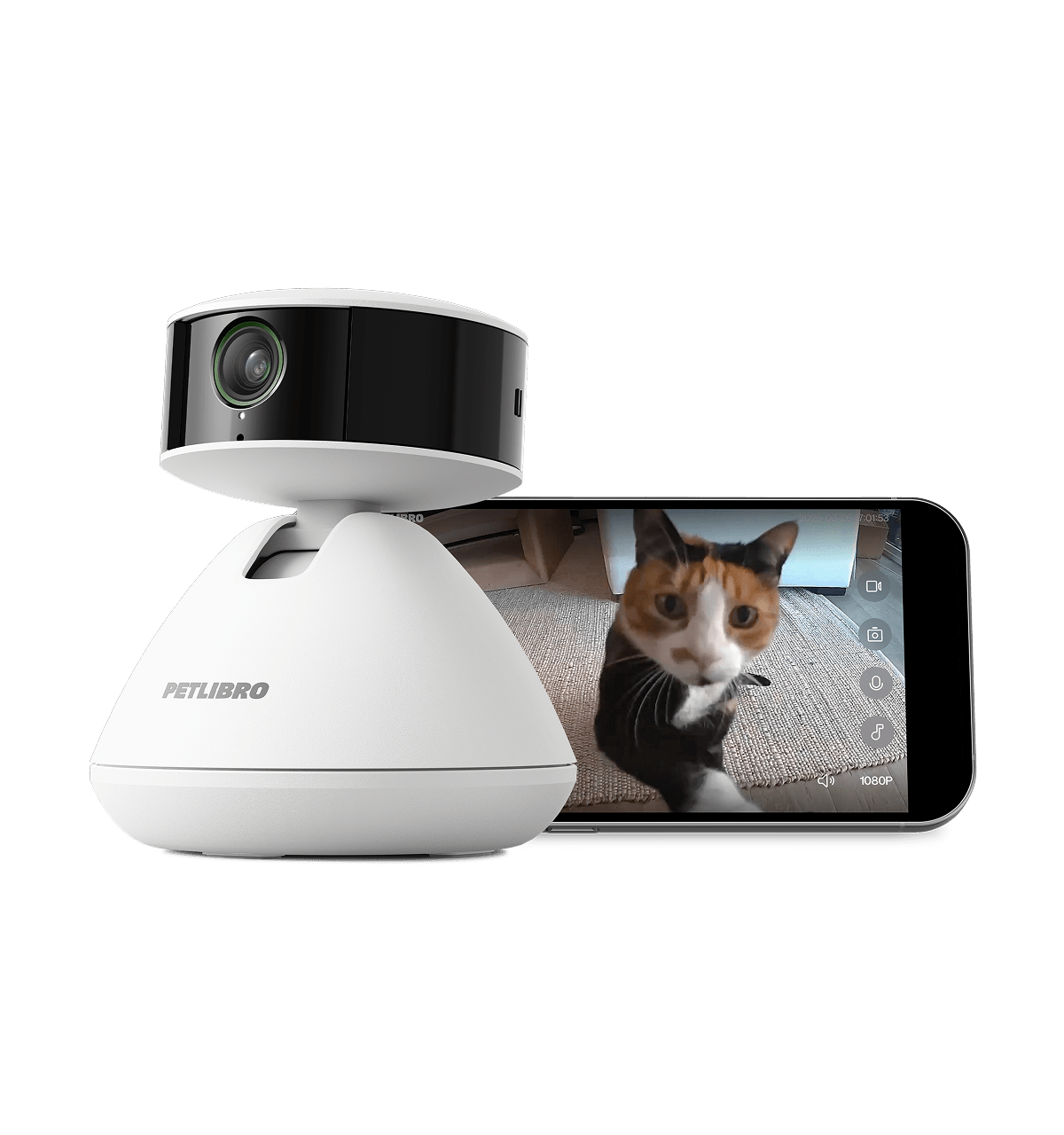
PETLIBRO Scout
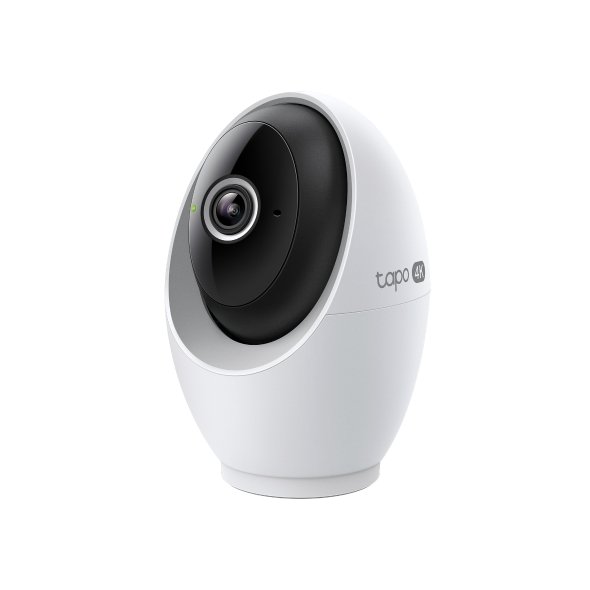
Tapo C260
Recording choice
No SD-card support; cloud history depends on plan
microSD option; paid cloud option
Published resolution
1080p
4K
Pet identity
Recognition for up to five pets; similar-looking animals can be confused
Pet detection is not verified individual-cat identification
Privacy control
Manual cover
Physical privacy mode
When Scout makes more sense
Scout deserves a closer look if you already use the PETLIBRO app and want pet-focused clips. PETLIBRO lists paid AI activity features and video history. Read the exact plan at checkout: the current sales page mentions a family option while its FAQ still describes per-camera subscriptions. Confirm the device allowance in writing before buying several units.
For two similar-looking cats, plan to inspect the video yourself. A name attached to a clip is not proof of identity. Position the camera so distinctive markings remain visible, and avoid building care decisions around automatically generated summaries.
The C260 is the more relevant candidate when saving footage on a memory card is non-negotiable. Its manufacturer lists pet detection and two-way audio. Check the delivered hardware revision against the manual before configuring storage.
Local recording does not mean the entire app works without internet or that cloud services never handle notifications. Decide separately how footage is stored, how remote access works and which optional services you enable.
Compare the cost over your intended ownership period
Write down the camera cost, a suitable recording card if needed, and the subscription you would actually keep after a trial. For multiple rooms, multiply the devices and check the plan’s coverage. We do not publish a fixed Amazon price because the seller, bundle and current offer can change.
Before leaving your cat at home
Check the view at floor level, not just from standing height.
Review a saved clip rather than assuming live view means recording is enabled.
Check the room after dark and watch for reflections or blocked sightlines.
Ask the person caring for your cat to confirm visits directly.
One rotating camera cannot watch two separate rooms simultaneously. A camera complements an in-person care plan; it cannot refill water or respond to an emergency.
Choose the recording you need to retrieve
Compare the exact event or time window you want to review rather than choosing between AI and local storage as slogans.
Decision or record
How to apply it
Pet event
What behavior or notification is documented, and what may be missed or mislabeled?
Timeline
Can you retrieve the required period with the selected storage setup and plan?
Export and sharing
Can an ordinary caregiver find and export the relevant clip under the account permissions?
Run one harmless event rehearsal during setup. If a feature is only present during a trial, record its post-trial cost and decide whether the remaining functions would still answer the household question.
Frequently asked questions
Which is better for two cats?
Choose according to the question you need answered. Individual activity organization, room coverage and continuous recording are different requirements. No single feature establishes all three.
Is Scout a no-subscription recording camera?
It should not be recommended for a buyer who requires local SD recording. Check what remains available on its free plan before deciding.
Should I replace an existing working camera?
First identify the specific problem it cannot solve. If you already get clear live video and reliable saved clips, another camera may add cost without improving your care routine.
Begin with a fictional everyday question: “Did the cat approach the food station during the afternoon?” Then separate the required view, saved period, identity evidence and ability to export a clip. Comparing cameras by those requirements is more useful than treating AI and local storage as opposing slogans.
When organized pet clips are useful
Pet-focused labels can reduce searching when they fit the observed events and current service. They remain a way of organizing available evidence, not proof that every event was captured or identified correctly. Inspect the footage when the distinction matters.
For similar-looking cats, record whether markings are visible and whether two animals overlap in the view. A confident-looking name on a clip should not erase uncertain identity.
When a saved local timeline is useful
A supported recording card can provide a different way to revisit the selected period. Verify the actual recording mode, storage status and playback. Installing a card does not establish that every desired hour or event is being retained.
Local storage also does not answer every remote-access or account question. Keep those requirements separate and follow the exact model and hardware-version instructions.
Use a neutral setup rehearsal
While someone is home, record an ordinary harmless event in the area of interest. Do not frighten the cat or stage a feeding conflict. Retrieve the event through the selected storage arrangement and compare what the camera shows with what the person observed.
Criterion
Question for either camera
Framing
Is the action visible at floor level without a blocked bowl or route?
Time
Can the relevant period be located correctly on the timeline?
Identity
What is directly visible and what is only an automated estimate?
Retrieval
Can the needed clip actually be played and exported?
Response
Can a real caregiver inspect and act when the evidence is incomplete?
Record the limitations of the rehearsal. A single normal event can reveal a setup problem, but cannot certify long-term detection or storage reliability. Recheck relevant functions after a card, service or recording-setting change.
A two-room comparison
In an illustrative home, the cat eats in the kitchen and rests behind a closed bedroom door. A rotating camera in one room cannot see through that door. More resolution or a longer subscription does not solve the missing physical view.
Draw the room routes before adding a second camera. Compare the complete supported placement, privacy implications, storage and plan coverage. Do not multiply a single-device plan across several cameras without checking its actual allowance.
Keep useful existing equipment in the comparison
If a current camera already provides the needed view and retrievable footage, identify the specific gap before replacing it. Pet labels may be convenient, but convenience is a different benefit from gaining a previously unavailable time window.
Likewise, a new local card feature is relevant only when the selected model, setup and retrieval suit your requirement. A hardware headline should not replace an ordinary playback check.
Price two complete arrangements
For each candidate, list hardware, supported mounting, a compatible card where relevant and the ongoing service you deliberately choose. Use current delivered quotations and selected-region renewal terms. Keep promotional trial access separate.
As a fictional example, a $40 difference in initial hardware is smaller than a chosen $100 annual service after one year. That does not establish the cheaper camera is better; it shows why recurring cost belongs beside the function you actually need.
Ask the trial-end question
“What can I still view, retrieve and export when this trial ends?” is a more useful purchase question than “Is the app free?” Save a dated answer for the exact model and region. Do not assume another device from the brand has the same entitlement.
If a decisive answer is missing, keep it unknown. A comparison should not create an imaginary free feature set from several product pages.
Do not use alerts as health conclusions
A detected sound, activity change or behavior label can prompt a direct check. It cannot establish a diagnosis or rule out a concern when no alert arrives. Keep ordinary observation and veterinary contact appropriate to the cat’s condition.
A camera also cannot confirm exact intake from a hidden or shared bowl. Use the food-and-water tracking guide to distinguish access, disappearance and consumption.
Choose the constraint that cannot be compromised
If local recording is essential, retain that requirement even when another camera offers appealing pet features. If organized pet clips are the priority and the chosen cloud arrangement is acceptable, evaluate that convenience honestly without calling it measured superiority in every category.
If neither arrangement can provide the needed view or caregiver response, resolve that gap first. The useful winner is the complete maintainable setup, not the model with the longest specification list.
Compare a useful image rather than pixel counts alone
A higher published resolution does not show an action hidden behind furniture. Before making it the deciding feature, inspect the intended bowl, doorway or floor route in an actual saved clip from the supported location.
For a feeding question, distinguish a visible cat from visible food. The cat’s face may be clear while its body blocks the bowl. Moving the supported view can matter more than magnifying an obstruction.
Review day and night separately
A daytime image can show coat markings that are less obvious in a different night mode. Check the actual view and identification uncertainty under the ordinary lighting conditions you intend to use. Do not stage a startling event to create a night clip.
Keep any reflection, bright window or dark foreground in the setup record. A change in lighting may explain a different image without proving a hardware failure. Use the camera placement guide for the supported room and night-view checks.
The practical comparison should say which needed action is visible and retrievable. That is more useful than declaring either resolution universally sufficient or inadequate for every room.
Sources and research method
Our judgments compare documented capabilities with practical cat-owner needs. Manufacturer claims are not independent measurements. We do not assign test scores or guarantee detection accuracy.
Choose by what you need to learn from the footage. If you mainly want to see whether a room is occupied, coverage and recording access may matter more than identity labels. If organizing clips by pet is useful, compare Scout’s plan terms and identification limitations. Neither model guarantees correct identification of similar-looking cats.
Maya Bennett is MeowBay’s Cat Product Research Editor and is responsible for this research-led article. She evaluates manufacturer documentation, household fit, cleaning, and product limitations. This article does not replace advice from your veterinarian.
3 Comments on “PETLIBRO Scout vs Tapo C260 for Cats: Cloud AI or Local Recording?”



3 Comments on “PETLIBRO Scout vs Tapo C260 for Cats: Cloud AI or Local Recording?”