


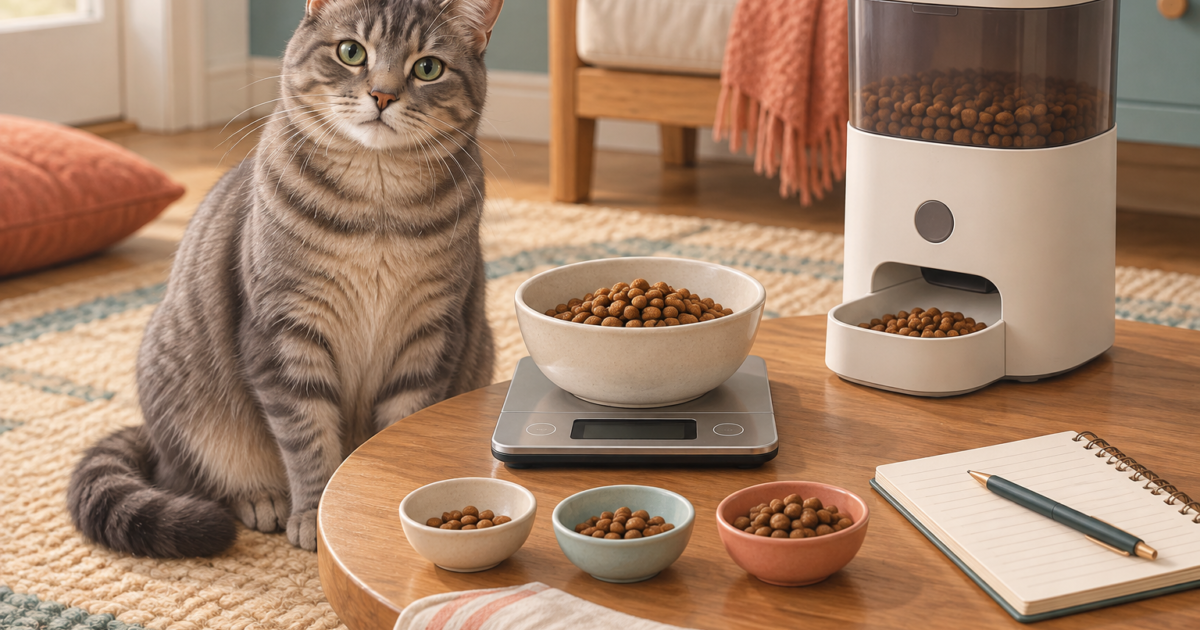
To convert automatic cat feeder portions into grams, weigh repeated dispenses of your actual kibble and divide the average weight by the portion setting used. There is no universal grams-per-portion conversion. Use the measured result to translate an already established food allowance into feeder settings, then check the complete meal before relying on it.
A display that says “3 portions” tells you what the machine is programmed to do. It does not, by itself, tell you the weight in the bowl or whether that food is the right daily amount for your cat. This guide separates those questions and gives you a repeatable measurement worksheet.
On this page
Use your measured portions in the calculator
First measure grams per portion using the steps below. Then calculate meal totals and food-bag duration in the dedicated tool.
Why one portion is not a standard weight
On volume-based dispensers, different kibble shapes and densities can produce different weights at the same setting. PETLIBRO’s portion reference explicitly describes the portion by volume rather than weight. Its listed volumes also differ between feeder families. Read PETLIBRO’s model-specific portion reference.
| Model family | Approximate volume per portion | What to do with it |
|---|---|---|
| Essential PLAF001/101 | 12.5 mL | Measure the kibble you will actually use. |
| Essential PLAF002/102 | 18.8 mL | Do not copy settings from the smaller model. |
| Granary PLAF005/006/103/203 | 20 mL | Check the exact model and its current manual. |
| Air PLAF008/108 | 10.4 mL | A similar-looking portion number may dispense less volume. |
| One RFID PLAF301 | 20 mL | Check dispensing quantity separately from tag access. |
These references were checked September 9, 2026. Hardware revisions and regional documentation can differ. A model label and a current manual are more reliable identifiers than a retailer’s shortened product name.
How to measure your automatic feeder’s output
- Record the setup. Note the feeder model, kibble name, test setting and date. Keep the food unchanged throughout the check.
- Prepare the feeder. Assemble and prime it as its manual requires. An empty dispensing chamber immediately after cleaning can distort the first reading.
- Zero the scale. Put the empty receiving bowl on a kitchen scale, select grams and use tare. Keep the scale on a stable surface.
- Run one complete cycle. Use the same setting each time. Wait until dispensing has finished before weighing the food.
- Record each weight separately. Aim for ten cycles for this household check. Keep the cat from eating the samples before they are weighed.
- Calculate and inspect. Compare the average with the smallest and largest results. A plausible average can hide missed or uneven cycles.
- Verify the planned meal. Test the complete meal setting and observe a scheduled feeding as well as a manual one.
Ten readings are a practical sampling choice for this worksheet, not a certification of feeder accuracy. A short check cannot prove long-term reliability. Repeat it after relevant changes and keep a manual feeding option available.
Worked example: converting portions to grams
Hypothetical example: ten one-portion cycles weigh 9, 10, 8, 9, 10, 9, 8, 10, 9 and 9 grams. Their total is 91 grams; the average is 9.1 grams per portion, with an observed range of 8–10 grams. These numbers are illustrative, not MeowBay test results.
If an already agreed meal allowance is 45 grams, the estimate is 45 ÷ 9.1 = 4.95 machine portions. That does not establish that five portions will reliably deliver 45 grams. Measure the full setting, check whether it suits the feeding plan and account for any separately served food.
If every sample used a setting of two portions instead, divide the average sample weight by two first. Enter that normalized grams-per-portion value in the standalone calculator. It takes a portion weight, not a list of raw sample readings.
Copy this feeder measurement log
| Setup | Model: ____ · Food: ____ · Date: ____ · Test setting: ____ |
|---|---|
| Ten readings in grams | 1: ____ 2: ____ 3: ____ 4: ____ 5: ____ 6: ____ 7: ____ 8: ____ 9: ____ 10: ____ |
| Summary | Total: ____ · Average per cycle: ____ · Grams per machine portion: ____ |
| Variation | Lowest: ____ · Highest: ____ · Missing or interrupted cycle: ____ |
| Full meal check | Setting: ____ · Measured weight: ____ · Scheduled meal observed: ____ |
Retain the earlier log when changing foods. Comparing records helps distinguish a change in kibble from a change in the feeder. Do not erase a zero reading as an “outlier”: a missed dispense belongs in the troubleshooting record, because a normal average can hide an unreliable dispenser.
When should you recheck the conversion?
- After changing the kibble brand, recipe, shape or size.
- After cleaning and reassembling the dispensing parts.
- When the food in the bowl no longer matches the usual output.
- After a relevant firmware or hardware change, following the maker’s instructions.
- Before handing the routine to a sitter who will depend on your written settings.
Measuring dispensed food and calibrating a built-in scale are different tasks. For example, PETLIBRO recommends recalibrating the Granary 2 scale after disassembly and reassembly. Use the instructions for your version rather than assuming this guide replaces that procedure. Granary 2 manufacturer information.
Common mistakes with feeder portion settings
Confusing meals with portions: four meal times do not mean four portions of food. Using a universal cup conversion: a cup measures volume, while this worksheet measures mass. Ignoring other food: separately served meals and treats still belong in the overall feeding plan. Increasing the setting to hide a fault: irregular dispensing needs investigation first.
For a feeder delivering nothing or only occasional pieces, use our automatic feeder troubleshooting checklist. If the question is connectivity rather than quantity, read what happens when a feeder loses Wi-Fi.
Questions about automatic feeder portions
Is one PETLIBRO portion always 10 grams?
No. A listed gram value may be approximate, and model families use different portion volumes. Check the model-specific reference and weigh your food. Avoid treating a retailer’s generic conversion as a measurement of your own setup.
Can a portion calculator decide how much my cat should eat?
No. It estimates food output from the portion weight and settings you provide. Establish the daily food allowance separately, with veterinary guidance where needed, and account for all food sources.
What if the machine cannot deliver the amount I need?
Do not assume a desired gram amount corresponds to a setting your feeder supports. Consider a measured manual portion or a more suitable device after checking your feeding plan. Consistent access also matters: our One RFID research review discusses selective access separately from dispensing quantity.
Research-based guide. Sources checked September 9, 2026. Calculator examples are hypothetical; no hands-on product test is claimed. Read our editorial policy.
Keep separate conversions for separate foods
A feeder portion is not a permanent gram value. Preserve the food and configuration that produced each measurement.
| Decision or record | How to apply it |
|---|---|
| Configuration | Exact feeder, rotor or splitter, setting and ordinary hopper level. |
| Food | Recipe, bag lot if available, piece characteristics and measured output series. |
| Conversion | Average grams per release and the date to recheck after a change. |
Illustration: a 5 g average with one food and 6 g with another creates a 20% difference for the same nominal release. That arithmetic explains why reusing the old conversion can matter; neither value is a result from a tested model.
4 Comments on “Automatic Cat Feeder Portions in Grams: How to Measure Your Feeder”